Transforming Branding Through Virtual Design and Performance Validation of Logo Projection Systems

Lighting Beyond Illumination: Introduction to Logo Projection Systems

In today’s competitive landscape, branding has evolved far beyond static displays and traditional advertising. Organizations are increasingly seeking innovative ways to create immersive and memorable visual experiences, and logo projection systems are emerging as a powerful solution. From automotive welcome lighting to retail and architectural applications, these systems are transforming how brands engage with their audiences, turning light into a dynamic communication medium.

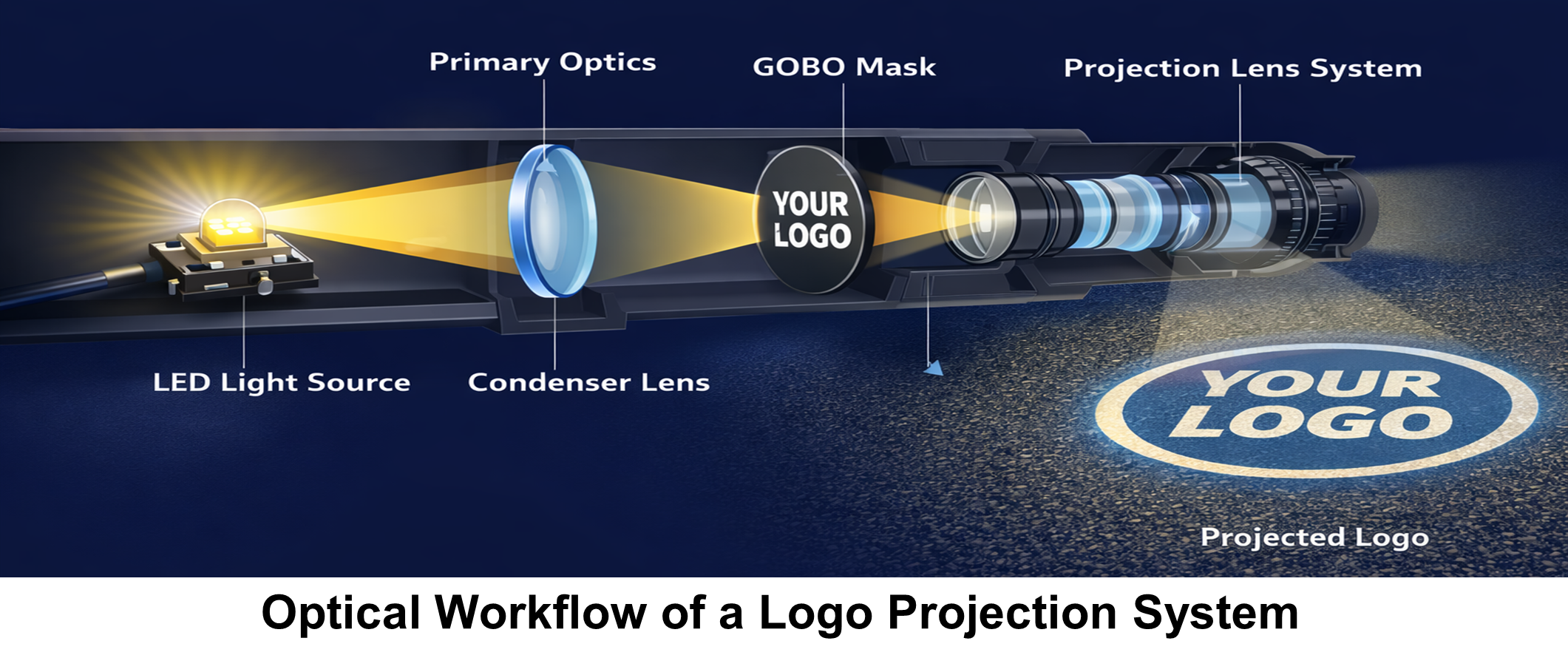
What makes logo projection systems unique is their ability to use light to display clear, sharp, and eye-catching. However, achieving this clarity is complex, requiring careful consideration of factors such as lens design, light distribution, and image consistency under varying conditions. Even small design errors can result in blur, distortion, or uneven brightness.


To address these challenges, virtual design and performance validation have become essential. Advanced simulation tools such as Ansys SPEOS and Zemax allow engineers to model optical behaviour, optimize lens systems, and validate image quality before building physical prototypes. By leveraging these platforms, designers can predict real-world performance, identify potential issues early, and accelerate development ensuring that logo projection systems consistently deliver striking visual experiences.

2.Where It Matters: Real-World Applications

Logo projection systems are widely adopted across multiple industries for branding, safety, and user interaction.

Key applications include:

  1. Automotive: Welcome lighting and entry zone illumination for improved user experience and safety
  2. Consumer Electronics & Appliances: Brand projection and status indication for enhanced product interaction
  3. Retail & Advertising: Dynamic logo projection for branding and customer engagement
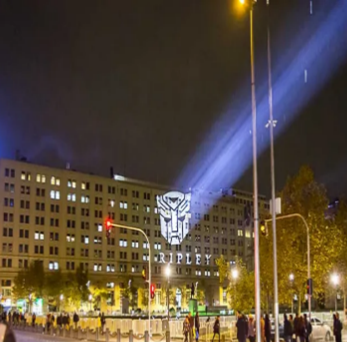
  4. Architecture & Infrastructure: Wayfinding and decorative projection for public spaces and landmarks
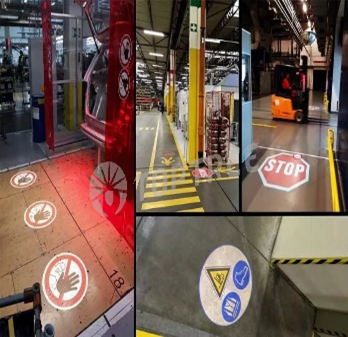
  5. Industrial & Safety: Hazard marking and safety projections to improve workplace visibility
  6. Hospitality & Events: Personalized projections and event branding for immersive experiences.

Welcome Lighting

Stage
Lighting

Premium Entrance Branding

Safety Markings

2.Where It Matters: Real-World Applications

Advanced optical simulation tools like Ansys Speos and Zemax Optic Studio play a crucial role in the virtual design and performance validation of logo projection systems.

End-to-End Optical Design

O Zemax OpticStudio is used for precise optical design:

  • Lens design and optimization
  • Controlling aberrations and distortions
  • Ensuring sharp and accurate logo projection

O Engineers can simulate how light propagates through lenses and optical elements with high precision.

Analisis ini penting untuk menghindari terjadinya resonansi akibat eksitasi getaran berlebih yang dapat merusak komponen mesin.

Real-World Lighting Simulation

O Ansys Speos focuses on system-level simulation:

  • Simulates how the projected logo appears on real surfaces
  • Evaluates brightness, uniformity, contrast & raytracing
  • Accounts for materials, textures, and environmental lighting

Ansys Speos and Zemax Opticstudio together enable a complete virtual workflow from precise optical design to real-world performance validation ensuring high-quality, reliable logo projection systems before physical production.

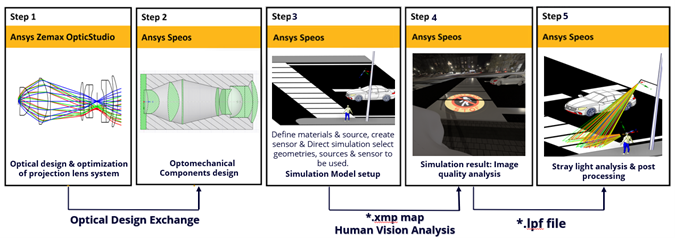
Virtual Model Setup & Optical Performance Analysis in Ansys Speos: From Design to Validation

Logo Projection System Simulation Workflow

1. Scene & System Initialization

Import CAD geometry and integrate the lens system to establish the simulation environment.

2. Optical Architecture Definition

Design and position lenses, housings, and masks (gobo) based on optical intent and packaging.

3. Projection Plane Configuration

Set the target surface with accurate distance, tilt, and orientation.

4. Material Assignment

Apply optical properties (refractive index, scattering, coatings) to all geometries.

5. Source & Environment Setup

Define LED source using photometric data and configure ambient lighting conditions.

6. Sensor Definition

Configure human vision sensors for perception-based analysis and irradiance sensors for quantitative evaluation.

7. Simulation Execution

Run simulations by selecting relevant geometries, sources, and sensors.

8. Scenario-Based Analysis

Perform multiple simulations for different sensor types and lighting conditions.

9. Result Integration

Combine outputs to evaluate lit and unlit appearances for complete performance assessment.
End-to-End SPEOS Workflow: From Optical Design to Validation

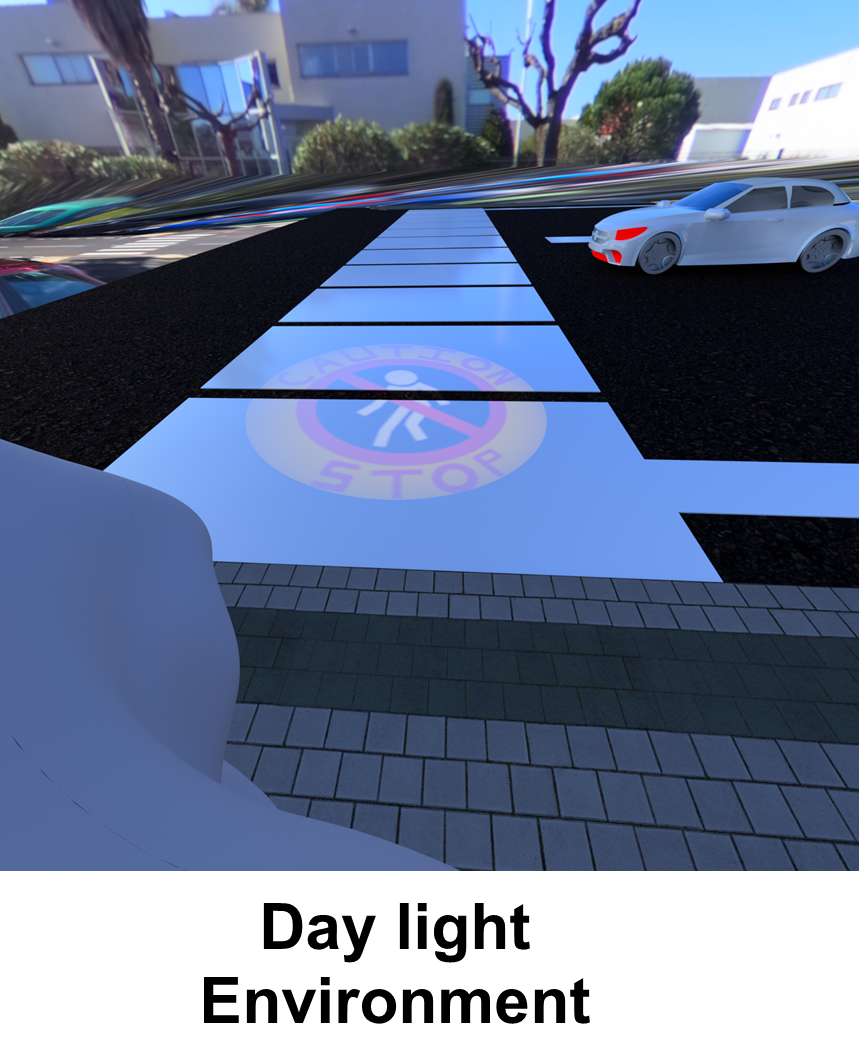
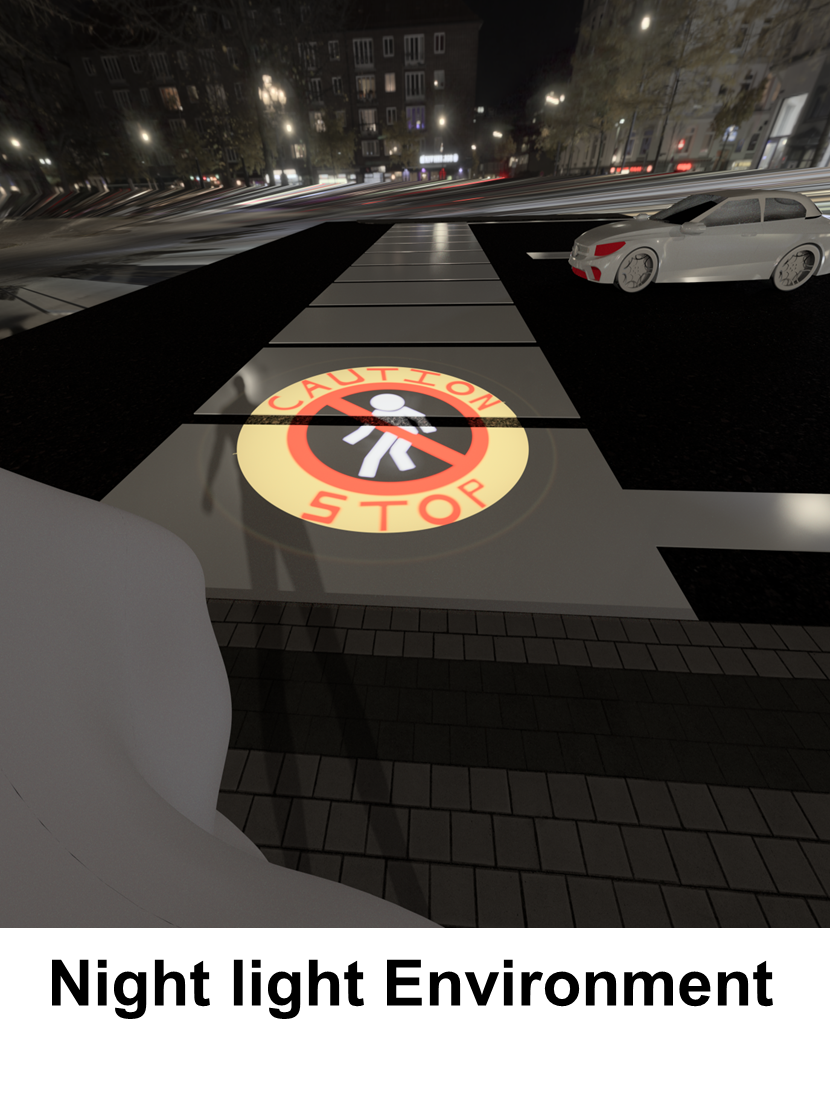
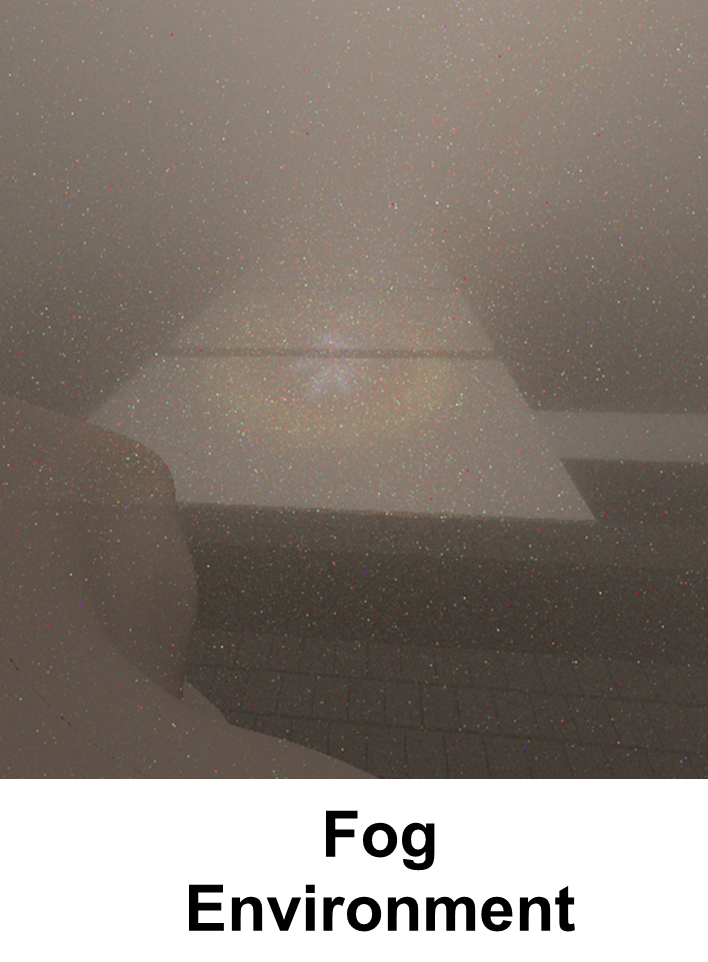
Analyze the performance of Logo projection system Different ambient lighting conditions

Ansys Speos Labs provides a comprehensive set of tools for extracting both quantitative and visual outputs from optical simulations, including those for logo projectors. It enables analysis of illuminance maps for brightness, intensity profiles for uniformity, perform colorimetric analysis, and visualize image sharpness and edge details. Additionally, Speos support’s stray light analysis, which is essential for detecting artifacts such as ghost images.

Kesimpulan

Finite element Analysis (FEA) telah menajdi sebuah alat untuk melakukan rekayasa modern. Dengan bantuan software Ansys, engineer dapat melakukan analisis pada stuktur bahkan sistem secara mendalam sebelum diproduksi.

Dengan memanfaatkan teknologi simulasi yang terus berkembang, suatu industri perusahaan tentunya dapat meningkatkan efisien secara desain, mengurangi biaya pengembangan dan R&D, melakukan mitigasi kegagalan, serta meningkatkan keandalan produk yang dihasilkan.

Ingin mengoptimalkan desain produk Anda dengan software Ansys? Konsultasikan kebutuhan simulasi industri Anda bersama tim ahli kami.